Coming soonClient boards · Oct – Nov 2026
Send clients your site, not a Flexmls link.
Share homes on a board on your own site, with your name and your brokerage at the top. Clients love, maybe, or pass in one tap, and you see who's ready to tour.
For realtors and brokerages. Clients never need a password.


The board
Every home you pick, the way a buyer wants to see it.
Big photos, your notes, and their reactions on every home. Price cuts and new open houses show up on their own.

Your brand, not the portal's
The homes you pick should send clients to you.
A portal link works. It just builds someone else's site every time your client opens it.
An MLS portal link today
- The portal's look and name, not your brand
- An address on the MLS portal, not your site
- Every visit builds the portal, not your site
- The same link every other agent sends
A board on your BrightDoor site
- Your name, your colors, and your brokerage at the top
- On your own site, at your own address
- Every visit, save, and tour request happens on your site
- A one-tap link by text or email. No password
- In English or Spanish, whichever your client picks
The map
Every home on a map, with how they feel about it.
Clients see where they're leaning and how far each home is from the rest. One tap switches between the board and the map.


A heart, a maybe, or a no on every price pin. Each has its own mark, not just a color.
Homes both buyers love stand out, so the short list is obvious.
Tap a pin to see the home and react right there. A home whose seller hides the address stays off the map.
For your clients
Everything a buyer needs to decide. Nothing to install.
It works in any phone's browser, from the link you send. Each home carries the listing brokerage's credit, as your MLS asks.
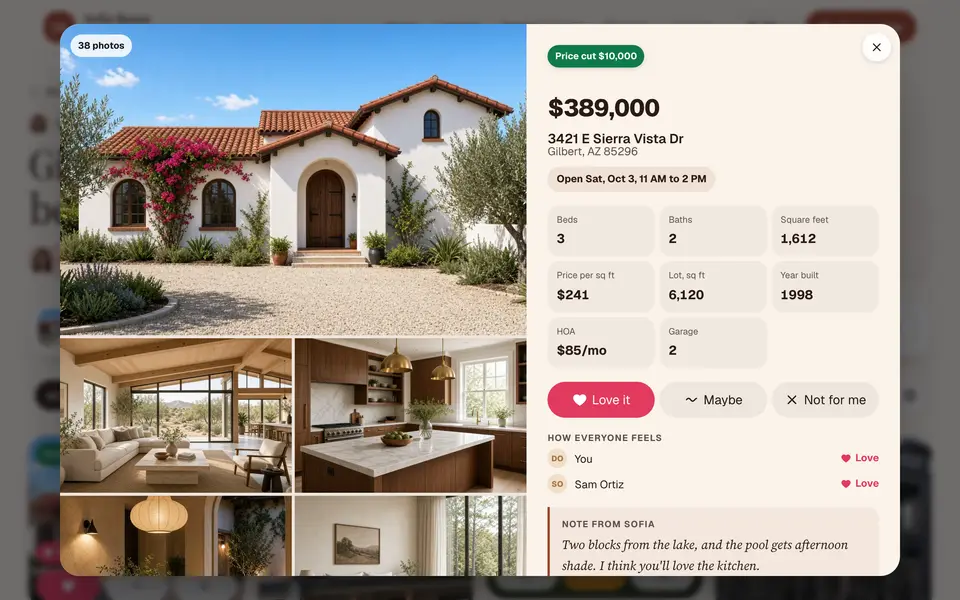
Every detail, and how everyone feels
The photos, the facts, your note, and each buyer's reaction on one screen. They talk it over right on the home.
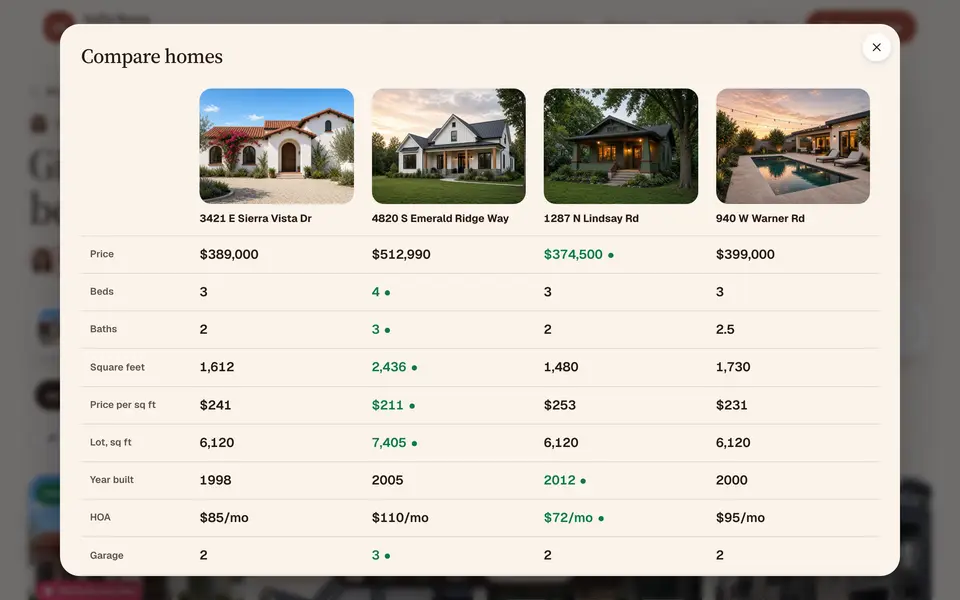
Compare up to four
Side by side, with the best of each row marked. Clients stop making spreadsheets.
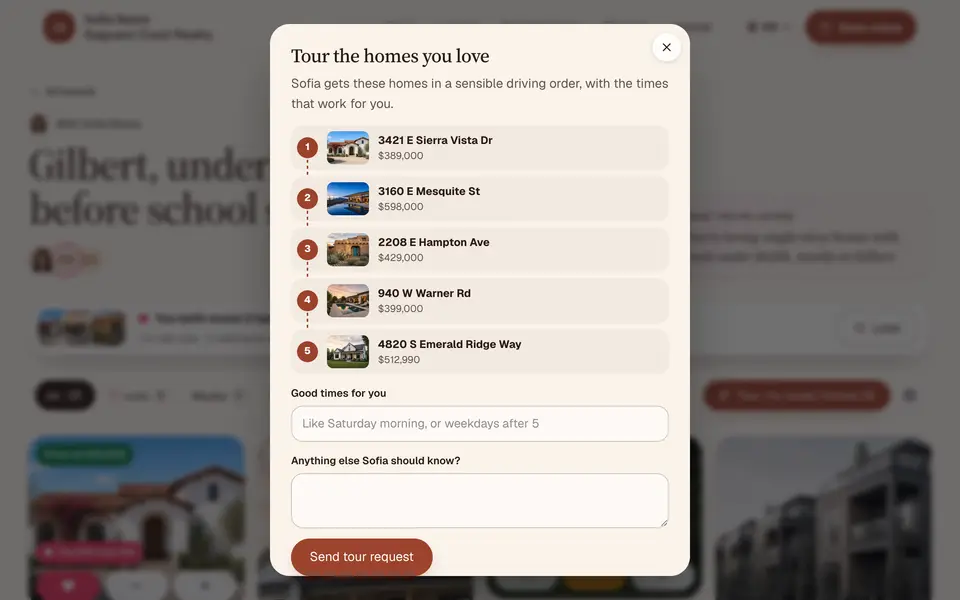
Tour every loved home
One tap sends you every loved home in a sensible driving order, with the times that work for them.
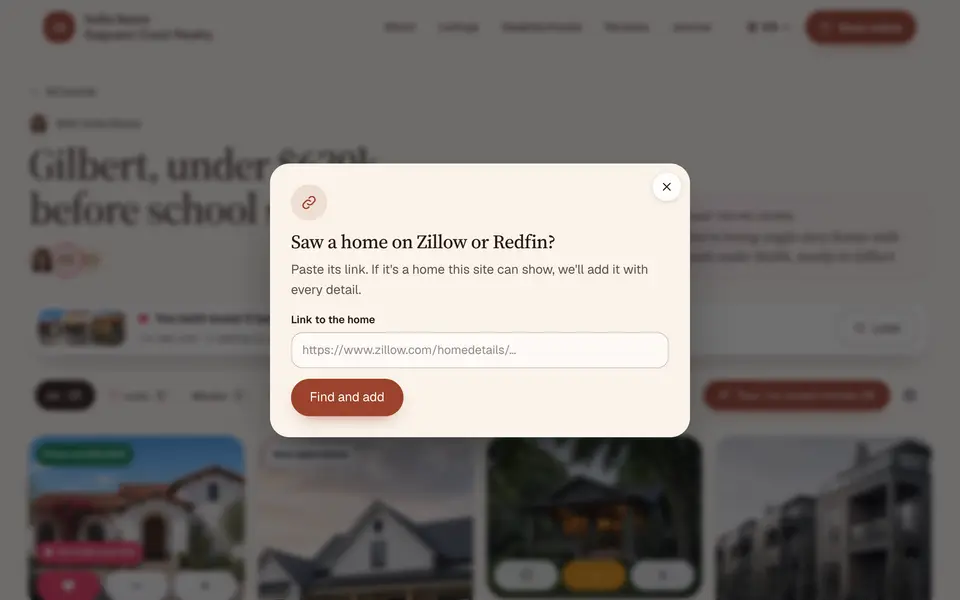
Paste a Zillow link
Found one on their own? They paste the link, and the home shows from your MLS feed, on your site.


- Love, maybe, or noOne tap on each home. A no can say why, like “too far” or “no yard,” so your next picks fit better.
- Where co-buyers agree“You both loved 3 homes.” Couples stop keeping two lists in two inboxes. A lender can join too.
- Changes show upPrice cuts, pending, back on the market, and new open houses appear on the board. Clients pick how often they hear about it.
On their phone
Made for the couch, the car, and the open house.
Most buyers look at homes on their phone. Every part of a board is built for one hand.
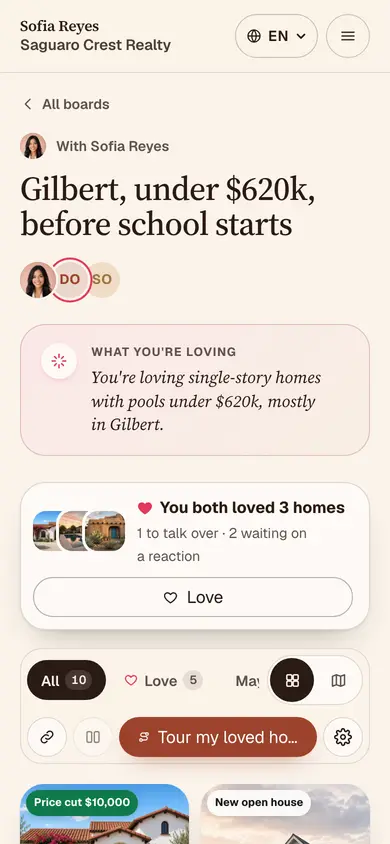
Their board
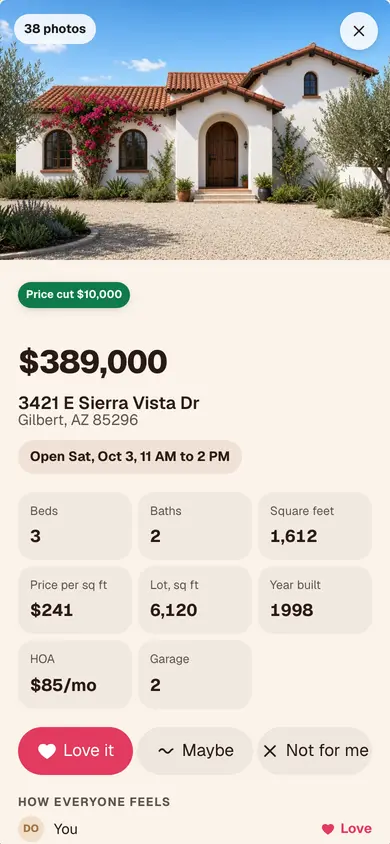
One home
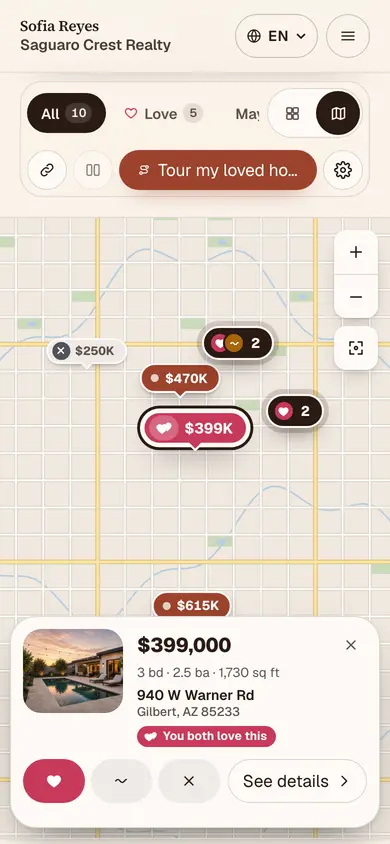
The map
Intelligence inside
Know who's ready to tour.
BrightDoor reads every board and tells you who's worth a call today and why. It sums up what each client is loving, so your next suggestion fits.
- Worth a call today: tour requests, a home viewed four times, both buyers loving the same three
- Private notes on any home, which clients never see
- Suggest a home and it lands at the top of their board
- Every reaction and comment in one feed, and in your CRM through webhooks


Your side of every board.
Reply to comments, keep a private note the clients never see, invite a co-buyer or their lender, and watch every reaction come in.
Private by design
A house hunt is personal. Boards keep it that way.
- Never public
- A board is between you and your clients. It's never indexed, and every link is tied to the person you sent it to.
- Seller choices respected
- No address when the seller hid it, and no comments when the seller turned them off.
- Links you control
- Links expire, and you can turn off anyone's access in one tap.
- Clients can leave
- A client can leave a board and delete what they added at any time.
Price
Boards come with Listings Pro.
Listings Pro is $99 a month on top of your BrightDoor plan. On the broker plan, every agent gets it at no extra cost.
Listings Pro, for agents
Coming soon$99a month
An add-on to your BrightDoor plan. Arizona first, Oct – Nov 2026.
- Client boards for every client, with the map, compare, and tours
- MLS search on your own site
- Search that understands whole sentences, like “single story with a casita under $700k”
- Listings on our own MLS license, so you can go live without broker paperwork where we hold one
- Setup is free
On the broker plan
$0extra
Included for every agent in your brokerage.
- Boards on every agent's site, live today
- Search from your brokerage's own MLS feed
- You decide who owns client data when an agent leaves
- One bill for the brokerage
Questions
Straight answers.
Anything else, write to us. A person answers.
When can I start?
Brokerages on the broker plan have boards today. For solo agents, boards come with MLS search: Arizona first, Oct – Nov 2026. Ask for early access and we'll set you up first.
Which MLS do you work with?
ARMLS in Arizona first. Then other MLSs, in the order agents ask for them. The roadmap shows where we are.
Do my clients need an account?
No. They open the board from a one-tap link you send by text or email. No password, and nothing to install.
What happens when a home sells?
The board shows it's no longer available, with only the address the client saved. Your MLS's rules decide what else can show.
Can a co-buyer or a lender join?
Yes. Invite a co-buyer and both of them react; the board shows where they agree. A lender can follow along too.
Does it work in Spanish?
Yes. Every board works in English and Spanish, and each client picks.
Who owns my clients if I change brokerages?
You do, by default, and they move with you. A brokerage on the broker plan can set it so client data stays with the brokerage, and both of you see that setting.
Does it cost extra?
Boards come with Listings Pro, $99 a month on top of your plan. They're included on the broker plan.
Does anything send without me?
No. Invites go when you send them, and clients choose how often they hear about price cuts and open houses.
Client boards · Coming soon
Be first when boards open for agents.
Tell us your MLS and how many buyers you're working with. We'll write as soon as your spot is ready.